cp-extract-segmentation-artifacts
cp-extract-segmentation-artifacts produces the main segmentation output set.
It writes the labels, outlines, and object tables that downstream single-cell steps reuse.
Purpose
Use this skill when you want:
segmented nuclei
segmented whole cells
review images to inspect whether the boundaries look reasonable
reusable object definitions for later crop and feature-extraction steps
Main Outcome
This skill produces the standard segmentation artifact bundle:
nuclei and whole-cell label images
outline overlays for review
CellProfiler object tables
workflow files that document how the segmentation was run
Inputs
This skill reads:
a project config such as
configs/project_config.demo.jsonthe segmentation input table written by cp-prepare-segmentation-inputs, or default segmentation inputs resolved from the config
the selected segmentation
.cppipethe raw Cell Painting images and illumination-correction files from the project config
an optional output directory
Outputs
The main user-facing results are:
label images for nuclei and whole cells
outline overlays for visual QC
CellProfiler tables such as
Image.csv,Cells.csv,Nuclei.csv, andCytoplasm.csvworkflow files such as the segmentation
.cppipe, summary, and manifest
Agent Demo
This page is based on a real local OpenClaw inspection of a completed demo segmentation result:
session id:
segartifact-inspect-v1recorded on
2026-05-06model:
vibe/gpt-5-mini
Request
I already have a completed demo segmentation result. Please inspect the result under demo/workspace/outputs/agent_demo_segmentation/02_extract_artifacts_v6 and tell me what outputs were produced there and what they mean biologically when I review a Cell Painting segmentation result.
Structured Trace
user_input:
I already have a completed demo segmentation result. Please inspect the result under demo/workspace/outputs/agent_demo_segmentation/02_extract_artifacts_v6 and tell me what outputs were produced there and what they mean biologically when I review a Cell Painting segmentation result.

recorded_turn:
- the saved OpenClaw turn answered this request directly
- the reply identified the segmentation artifact step that produced the directory
- the reply listed the main workflow files, CellProfiler tables, label images, and outline overlays
- the reply explained what nuclei labels, cell labels, outlines, and object tables mean biologically

final_answer_snapshot:
The completed result contains the standard segmentation artifact set: labels, outlines, object tables, and workflow files for two demo fields.
Representative Figure
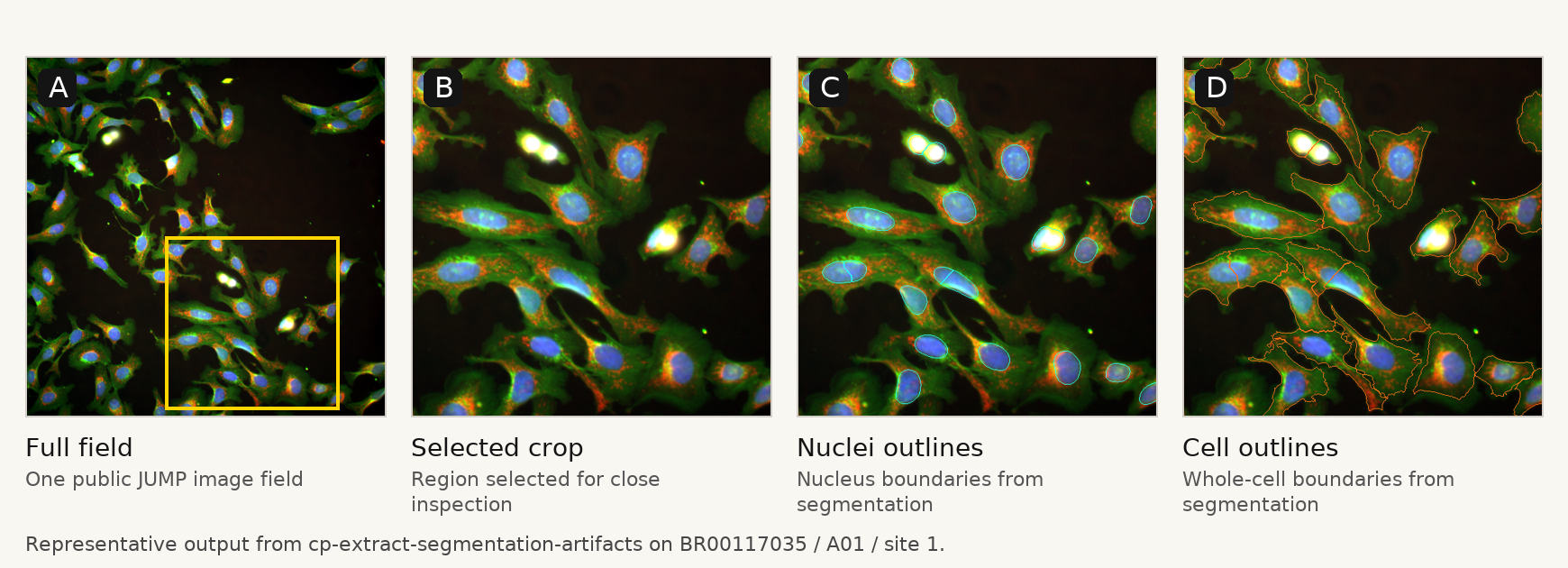
Caption: Representative output from cp-extract-segmentation-artifacts, showing the original field, a selected crop, the nucleus boundaries, and the whole-cell boundaries.
Observed Result
The inspected completed result under 02_extract_artifacts_v6 contained:
workflow files such as:
load_data_for_segmentation.csvsegmentation_workflow_config.jsonCPJUMP1_analysis_mask_export.cppipepipeline_skill_manifest.jsonsegmentation_summary.json
CellProfiler tables:
Image.csvCells.csvNuclei.csvCytoplasm.csvExperiment.csv
review images:
labels/*cell_labels.tifflabels/*nuclei_labels.tiffoutlines/*cell_outlines.pngoutlines/*nuclei_outlines.png
The completed run covered:
2image fieldswells
A01andA024cell objects total4nuclei objects total4cytoplasm objects total
Recorded Reply
I inspected the existing completed segmentation result under:

- `demo/workspace/outputs/agent_demo_segmentation/02_extract_artifacts_v6`

This is a completed run from the stable segmentation skill:

- **`cp-extract-segmentation-artifacts`**